
How to Build a Gallery Website with Limited Resources
Using Elementor Free + Modula + OceanWP (Bill Gallery Case Study)
Creating a professional gallery website doesn’t always require premium builders, expensive themes, or multiple paid subscriptions. In fact, with the right stack of free tools—and a bit of CSS finesse—you can build a visually rich, scalable gallery platform that looks and performs like a premium build.
In this post, I’ll walk you through how we built the Bill Gallery project using only free resources:
OceanWP Theme (Free)
Elementor Free
Modula Gallery Plugin (Free)
Redirect & utility plugins
Custom CSS enhancements
We’ll cover the full process—from setup to styling—plus comparisons, limitations, and when (or if) it makes sense to go premium.
1. Planning the Gallery Site with Limited Resources
Before installing anything, the first step is understanding what a gallery site actually needs.
A functional gallery platform typically requires:
Masonry or grid gallery layout
Fast image loading
Category/group separation
Mobile responsiveness
Custom linking (posts, affiliate, external)
Visual styling control
Age gate / redirects (if needed)
SEO-friendly structure
When working with limited resources, the goal is simple:
Maximize visuals, minimize costs, and avoid subscription lock-ins.
That philosophy guided the Todd Gallery build.
2. Choosing the Right Free Theme — OceanWP
The foundation of the project was OceanWP, one of the most flexible free themes available.
Why OceanWP?
Lightweight and fast
Works seamlessly with Elementor
Header & footer builder compatibility
Large template library
WooCommerce-ready (if needed later)
No forced premium lock features
Unlike bloated multipurpose themes, OceanWP keeps things modular—perfect when you want to scale only where needed.
3. Building Structure with Elementor Free
Elementor Pro is powerful—but Elementor Free can still deliver excellent results if used strategically.
What we built with Elementor Free:
Full homepage layout
Inner gallery pages
Category sections
CTA blocks
Responsive spacing
Mobile adjustments
Using the OceanWP Library Builder, we created:
Custom Header
Custom Footer
Navigation structure
This combo allowed us to design a fully branded site layout without Elementor Pro’s Theme Builder.
4. Gallery Engine — Why We Chose Modula
Now comes the core of the site: the gallery system.
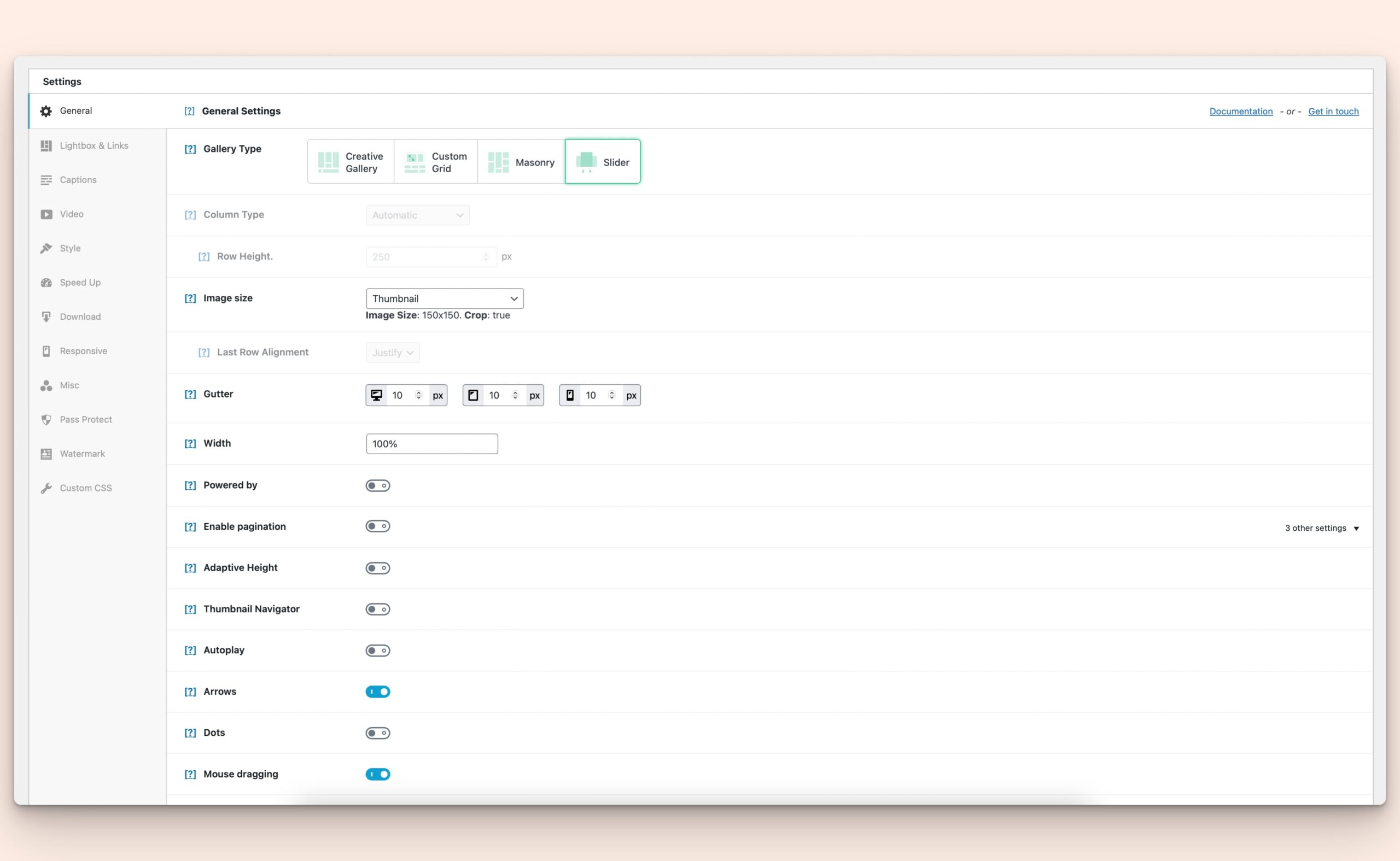
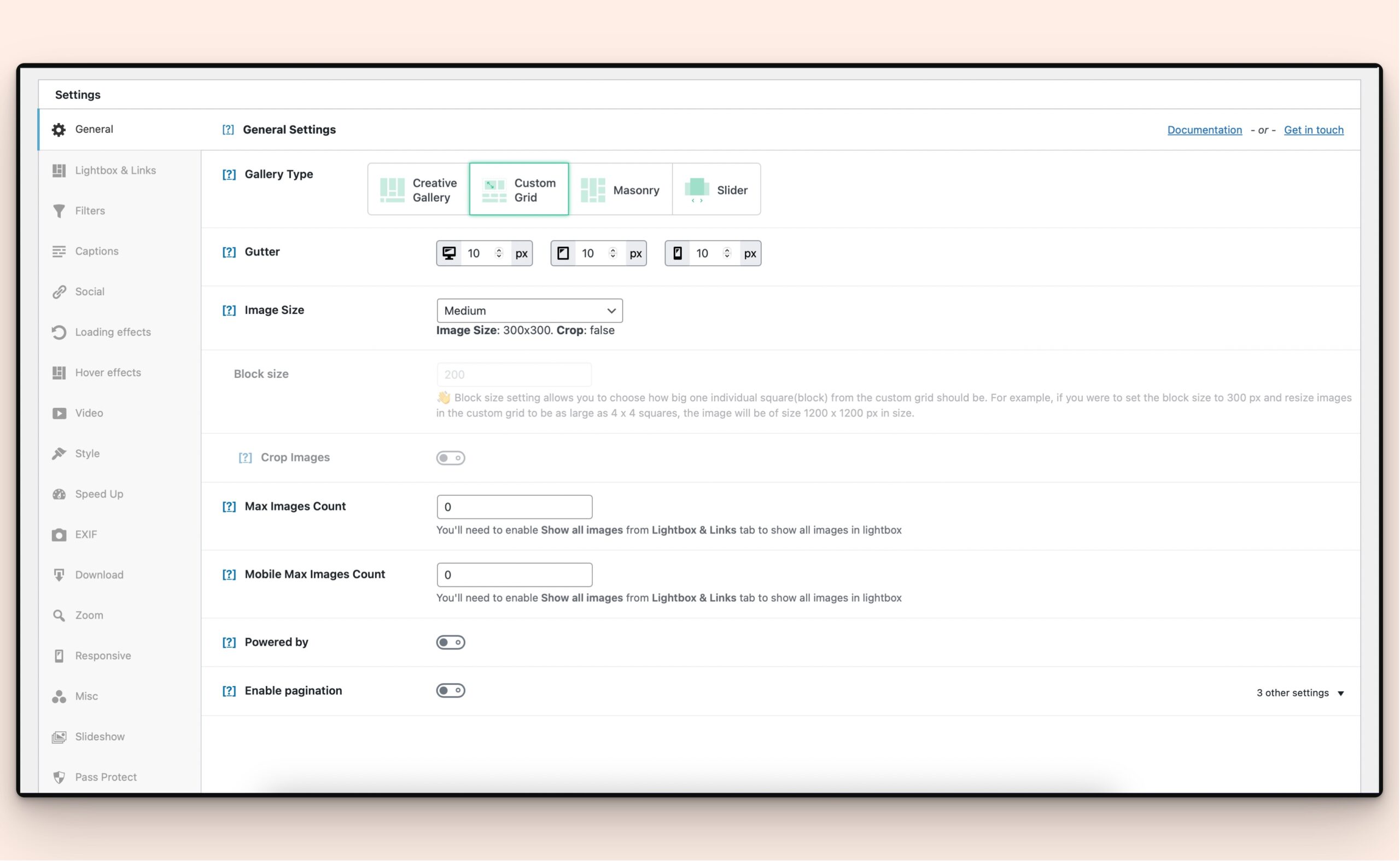
We used Modula Gallery Plugin (Free) because it offers surprising flexibility even without paid upgrades.
Key Free Features We Used
Masonry grid layout
Custom image sizing
Drag-and-drop arrangement
Lightbox preview
Gallery grouping
Title removal
Custom linking
CSS customization hooks
For a free plugin, this already covers most gallery needs.



5. Structuring the Bill Gallery
We structured the site in layered gallery groups:
Example Structure
Homepage Featured Galleries
Recently Added
Category Galleries
Individual Posts (Full gallery view)
Each gallery grid links to deeper content, creating a browsing journey rather than a static image dump.
This improves:
User engagement
Time on site
SEO crawl depth
6. Styling the Gallery with Custom CSS
Here’s where free tools meet pro results.
Modula allows CSS overrides—even in the free version—so we customized:
Visual Enhancements
Rounded corners (20–50px radius)
Reduced spacing between items
Hover overlays
Title repositioning
Link color control
Underline styling
Border highlights
This turned a default gallery into a branded visual system.
7. Affiliate Linking & Custom URLs
One of Modula’s most underrated free features is custom linking.
Each image can link to:
External affiliate pages
Product listings
Full posts
Landing pages
Sponsor links
This is powerful for monetized galleries.
Example use cases:
Art prints → Etsy
Photography → Licensing page
Adult galleries → Paid content
Fashion → Affiliate stores
8. Removing Titles & Cleaning Visuals
Default gallery titles often clutter layouts.
We removed them to achieve:
Cleaner grid visuals
Focus on imagery
Minimalist UI
Better mobile readability
Titles were instead moved:
Into lightbox captions
Or post pages
This keeps the gallery immersive.
9. Redirect & Utility Plugins
To support the gallery ecosystem, we added lightweight helpers:
Redirect Plugins
Used for:
Age verification flows
Affiliate routing
External traffic control
SEO link handling
Example Uses
Age Gate → Gallery
Gallery → External platform
Expired content → Updated posts
10. Performance Optimization on Free Stack
Gallery sites are image-heavy, so performance matters.
Optimization Steps
Compressed images before upload
Used WebP where possible
Limited gallery load count
Lazy loading enabled
CDN (optional free tier)
Cache plugin integration
OceanWP + Elementor Free remained lightweight enough to maintain fast load speeds.
11. Comparing Free vs Paid Gallery Plugins
Let’s put Modula Free in perspective.
| Feature | Modula Free | NextGEN | Envira | Essential Grid |
|---|---|---|---|---|
| Masonry Grid | ✅ | ✅ | ✅ | ✅ |
| Drag Layout | ✅ | ❌ | ❌ | ✅ |
| CSS Control | ✅ | Limited | Limited | Advanced |
| Affiliate Linking | ✅ | Pro | Pro | Pro |
| Lightbox | ✅ | ✅ | ✅ | ✅ |
| Albums | Limited | Pro | Pro | Pro |
| Subscription | ❌ | ❌ | ❌ | ❌ |
For a free plugin, Modula holds its ground well.
12. Subscription Trap — What to Watch Out For
This is critical when working with limited resources.
Many builders and plugins offer:
Monthly billing
Feature lockouts
Content restrictions
Export limitations
If you stop paying:
Galleries may break
Layouts may lock
Designs may degrade
That creates long-term dependency.
13. Cost Comparison — Free vs Paid Stack
Free Stack (Bill Gallery Model)
OceanWP — Free
Elementor Free — Free
Modula Free — Free
Redirect Plugins — Free
Total cost: $0
Paid Stack Example
Elementor Pro — $59/year
Gallery Plugin Pro — $49–$99/year
Premium Theme — From $59/year – Usually around 150$+
Add-ons — $30–$80/year
Total: $200–$300/year
(A good plugin can go up from 250$ / per year )
Over 5 years → $1,000+
That’s why planning matters.
14. Alternative Strategy — One-Time Purchase Themes
Instead of subscriptions, consider themes that include built-in gallery systems.
Advantages
One-time payment
Native gallery modules
No plugin conflicts
Lower long-term cost
Downsides
Less flexibility
Harder redesigns
Builder lock-in
Still, for limited budgets, this can be a smart route.
15. Mobile Optimization
Gallery browsing is now mobile-first.
We optimized:
Grid spacing
Column collapse
Image ratios
Tap targets
Scroll flow
Masonry layouts adapt well if spacing is controlled properly.
16. SEO Structure for Gallery Sites
Many gallery sites ignore SEO—but Bill Gallery didn’t.
We implemented:
Gallery category pages
Alt text optimization
Image naming conventions
Internal linking
Featured galleries
Recently added sections
This turns a visual site into an indexable one.
17. Security & Access Control
For sensitive or adult galleries, we added:
Age Gate popups
Redirect verification
Access overlays
These were implemented without premium plugins—using CSS + lightweight tools.
18. Scaling the Site Later
The beauty of this stack is scalability.
You can later add:
Elementor Pro (theme builder expansion)
Modula Pro (albums, filters)
WooCommerce (print sales)
Membership systems
Video galleries
You start free—but you’re not stuck free.
19. Lessons Learned from Bill Gallery
What Worked Great
Masonry grid visuals
CSS flexibility
Zero build cost
Fast performance
Affiliate linking
Challenges
Limited album nesting
Manual styling work
No advanced filtering
Lightbox limits
Still, all solvable with upgrades later.
20. Final Thoughts — Is Free Enough?
Yes—if you:
Plan structure early
Choose flexible plugins
Use CSS creatively
Avoid subscription traps
The Bill Gallery project proves you can launch a fully functional gallery platform using only free tools—and still achieve a premium look.
Paid tools bring convenience, automation, and advanced features—but they also bring recurring costs and dependency.
So the decision comes down to:
Budget vs convenience
Control vs automation
One-time effort vs ongoing subscription
If you’re starting with limited resources, the stack we used is one of the most cost-efficient and scalable ways to build a gallery website today.