Aura Vector Editor Review: A Promising New Creative Tool Worth Watching
First Impressions of the Beta, Exploring Shape Lab, Typography, and Vector Design
An independent browser-based vector editor with an interesting approach to logo creation, typography, and creative freedom. We got early access to its first beta, and here are our impressions.
Every now and then, something new appears in the creative industry that deserves a little attention. Not necessarily because it promises to revolutionize the way we work, but because someone has decided to build something useful, different, and accessible to everyone.
That’s exactly what caught our attention with Aura, a free, browser-based vector graphics editor developed as part of the Deslove creative platform.
At Creativa Forge, we’ve spent years working with professional design applications, from Adobe Illustrator and Photoshop to Affinity Designer and other creative tools. So when we were invited to try Aura’s very first beta release and share our impressions, we were genuinely interested.
And we’re glad we did.
Let’s make something clear from the beginning: Aura is still in its early development stages. It isn’t trying to replace the professional software we’ve been using for years, at least not in its current form. But what it already offers is interesting, and more importantly, it shows how much potential independent creative projects can have.
So, rather than putting Aura through an exhaustive technical review, we decided to explore its interface, experiment with its features, create a quick logo, and see how the experience feels from a designer’s perspective.
Here is what we discovered.
First Impressions: A Creative Platform, Not Just an Editor
One of the first pleasant surprises is that Aura doesn’t exist entirely on its own.
It’s part of Deslove, a broader platform designed to bring creative professionals, inspiration, and useful resources together in one place.
The onboarding experience is straightforward and welcoming. After signing in, you’re presented with a selection of creative interests, including logo design, typography, brand identity, web design, illustration, and more.
It’s a small detail, but one that makes the platform feel more personal from the beginning.
Instead of being dropped immediately into a complicated workspace, you’re invited to define what interests you.
And there’s more to explore beyond Aura itself.
Deslove Feed: Connecting the Creative Community
The Deslove Feed introduces a social and discovery element to the platform.
The idea is to connect designers and other creative professionals around shared interests, allowing users to discover work, follow creative directions, and build collections of favorites.
We particularly like this approach because creative work doesn’t happen in isolation.
Whether you’re working on a brand identity, developing a new website, or experimenting with typography, inspiration often comes from seeing how other people solve visual problems.
Having a community-oriented space connected to a design tool is an interesting concept. How active and useful that community becomes will naturally depend on its growth, but the foundation is appealing.
Deslove Journal and Resources
The platform also includes the Deslove Journal and a dedicated resources area.
These sections add another dimension to the experience, offering opportunities to explore creative topics, discover references, and find material that may influence your next project.
For designers, having access to inspiration and learning resources alongside a creative workspace makes sense.
It’s a thoughtful direction, especially for a platform that is only beginning its journey.
But while the surrounding platform is worth exploring, our main reason for visiting was the editor itself.
And that’s where things become particularly interesting.
Meet Aura: A Free Online Vector Graphics Editor
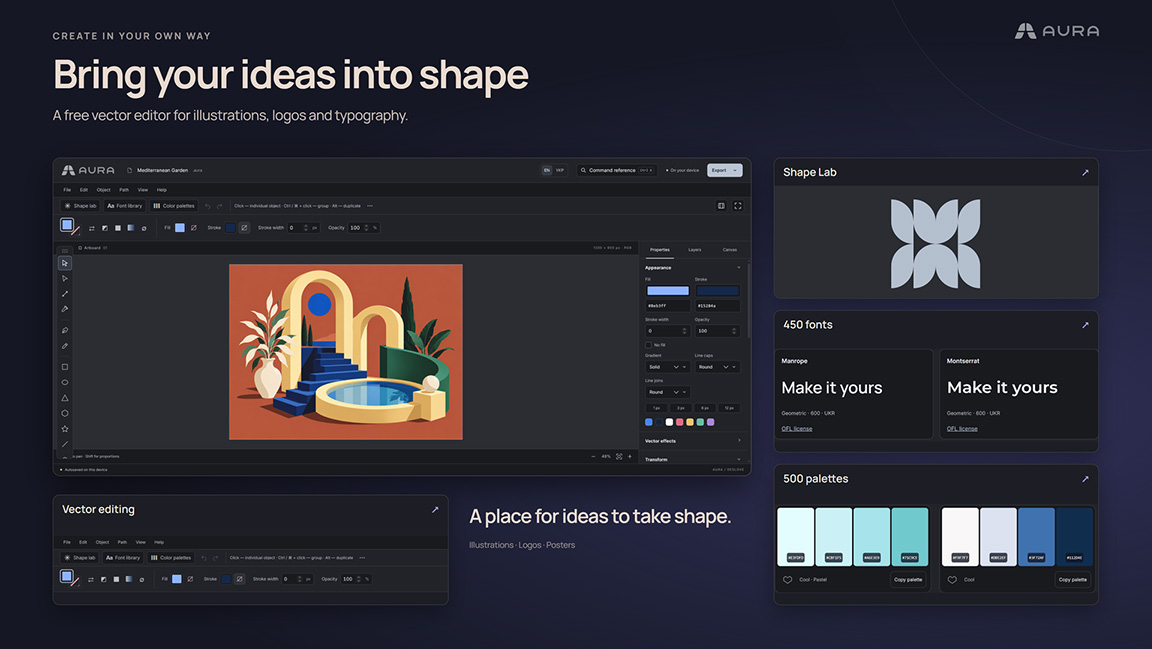
Aura is a browser-based vector editor designed for creating and editing logos, icons, illustrations, typography, and graphic compositions.
Its main idea is simple: make vector design accessible directly from a browser, without requiring users to install a dedicated desktop application.
Aura offers a workspace with familiar vector editing tools, including:
Vector paths and Bézier curves
Editable shapes and individual nodes
Layers and object organization
Typography and lettering tools
Colors, fills, strokes, and gradients
SVG import and editing
Export options including SVG, PNG, and PDF
Dedicated Shape Lab, Font Library, and Color Palettes
You can experiment with the editor without installing software or creating an account. However, a free Deslove account is required to open your own files, save projects, and export your work.
That’s a reasonable distinction, and the ability to explore the editor before signing up makes it more approachable.
A Familiar Workspace That Makes Sense
Opening Aura feels surprisingly comfortable.
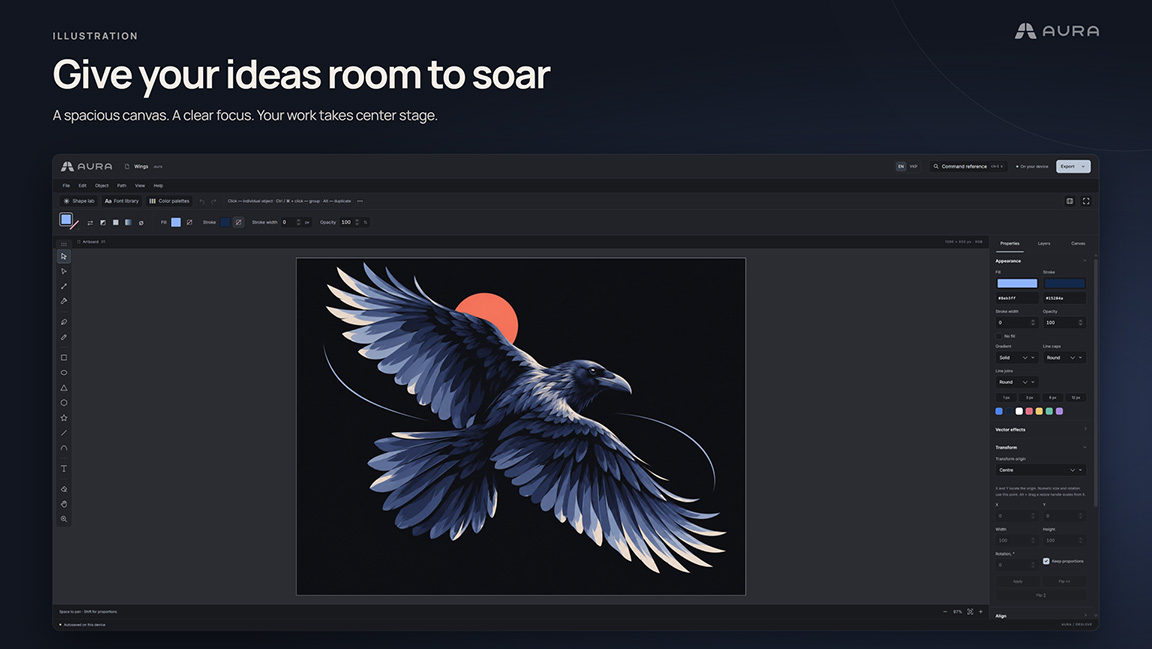
The dark interface, vertical toolbar, top navigation, canvas area, and properties panels follow a structure that experienced designers will immediately recognize.
If you’ve worked with Affinity Designer, Adobe Illustrator, or similar vector-based applications, you’ll have a general understanding of where things are and how to approach the workspace.
And that’s a good thing.
There’s no need to reinvent every aspect of an interface that designers already understand.
Aura takes familiar design concepts and presents them in a relatively clean, approachable environment.
During our initial testing, navigation felt straightforward, the overall layout was easy to understand, and we were able to begin experimenting without spending much time figuring out the interface.
But we should also be fair about expectations.
Aura is not currently comparable in overall depth, refinement, or production capability to mature applications such as Affinity Designer or Adobe Illustrator.
Those tools have benefited from many years of development, substantial resources, established workflows, and extensive professional testing.
Expecting a newly launched independent beta to match them would be neither reasonable nor particularly useful.
What matters more is whether Aura offers a good foundation, a pleasant experience, and features that make it worth exploring.
From our first impressions, the answer is yes.
Shape Lab: The Feature That Immediately Won Us Over
If there’s one part of Aura that genuinely caught our attention, it’s Shape Lab.
And it’s probably the first feature we’d recommend exploring.
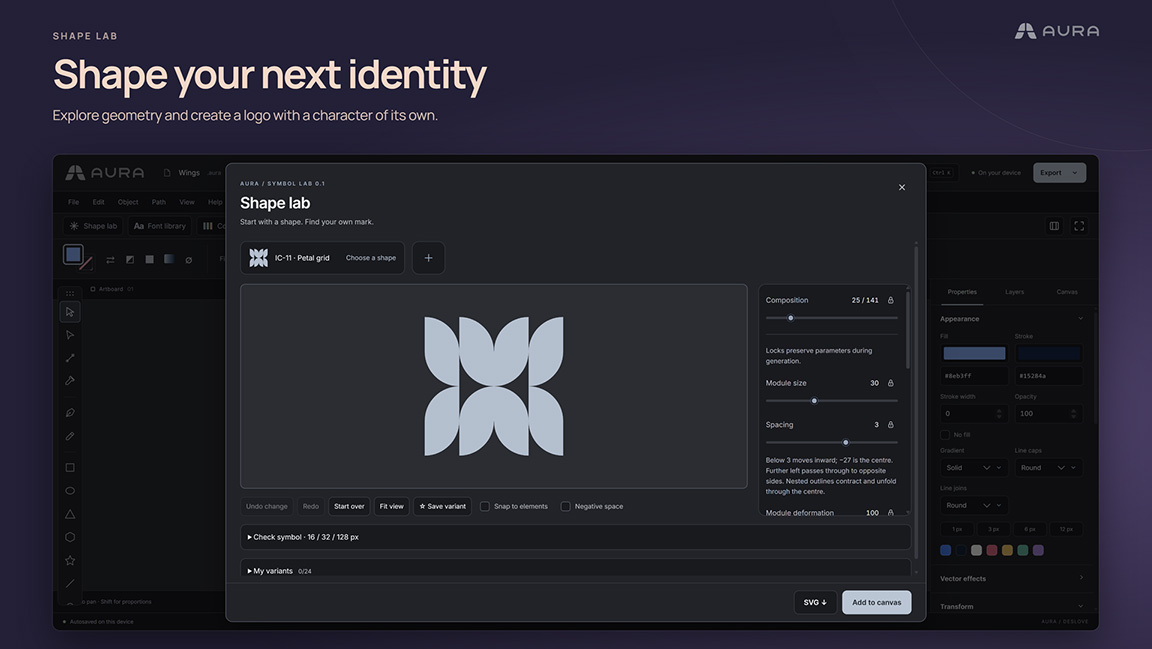
Shape Lab takes an interesting approach to logo and symbol creation by allowing users to start with predefined geometric structures and modify them through a set of adjustable parameters.
The editor currently includes 141 base symbols, with controls for composition, module size, spacing, rotation, distortion, corner rounding, and negative space.
Rather than manually drawing every element from the beginning, you can select a starting structure and experiment by moving sliders.
A small adjustment can completely change the character of a symbol.
Move one slider, change the spacing, modify the proportions, adjust the geometry, and suddenly you’re looking at something quite different from where you started.
It’s simple, immediate, and surprisingly enjoyable.
From a Simple Shape to a Logo Concept
Our first reaction while experimenting was something along the lines of:
“Well, if you need a logo concept, this is a pretty easy way to get started!”
Of course, designing a good logo involves much more than choosing an attractive geometric symbol.
A strong identity requires research, concept development, originality, scalability, appropriate typography, and an understanding of the brand behind it.
But generating visual directions is an important part of that process, and Shape Lab makes experimentation accessible.
Instead of spending time constructing every geometric variation manually, you can explore several possibilities in a relatively short period.
You can also lock individual parameters, save variations, and check how symbols behave at smaller sizes, including 16, 32, and 128 pixels.
That’s particularly useful because a symbol that looks attractive on a large canvas doesn’t necessarily work well as a small icon.
You’re Not Limited to the Starting Shapes
Another important detail is that Shape Lab isn’t simply a collection of ready-made logos.
Once you create a symbol, you can transfer it to the main canvas, where the individual vector elements remain editable.
You can modify the paths, change colors, adjust shapes, combine elements, add typography, or continue developing the design manually.
That flexibility is essential.
A shape generator can be useful for quick inspiration, but an editable result is what makes it practical for actual design work.
Shape Lab encourages experimentation without forcing you to stay within a rigid template.
And for us, that’s what makes it one of Aura’s most promising features.
Our Five-Minute Creativa Forge Logo Experiment
Naturally, we couldn’t explore Shape Lab without trying to create something ourselves.
So we decided to make a quick alternative Creativa Forge logo, purely as an experiment.
Nothing complicated, no extensive brand research, and certainly no attempt to replace our existing identity.
Just five minutes of playing around with the available tools to see what we could produce.
And the experience was enjoyable.
We explored the shapes, experimented with the composition, and worked with the available editing controls to see how quickly an idea could come together.
As designers accustomed to more complex professional applications, we’re familiar with detailed vector workflows. But for this little experiment, Aura provided an accessible environment that allowed us to concentrate on the idea rather than the software.
Were there a few hiccups?
Yes.
We encountered some minor difficulties with exporting during our test.
But considering that this is the very first beta version, those issues weren’t particularly surprising. We see them as something worth reporting and revisiting as development continues, rather than a reason to dismiss the editor.
We’ve worked on enough digital projects to appreciate that developing software from scratch is rarely a smooth process.
What impressed us more was the fact that we could jump into an unfamiliar editor, experiment with its tools, and create a quick logo concept within minutes.
That alone made the experience worthwhile.
Font Library: Typography Without Leaving the Workspace
Typography is an essential part of almost every branding and graphic design project.
An excellent symbol can lose much of its impact when paired with the wrong typeface.
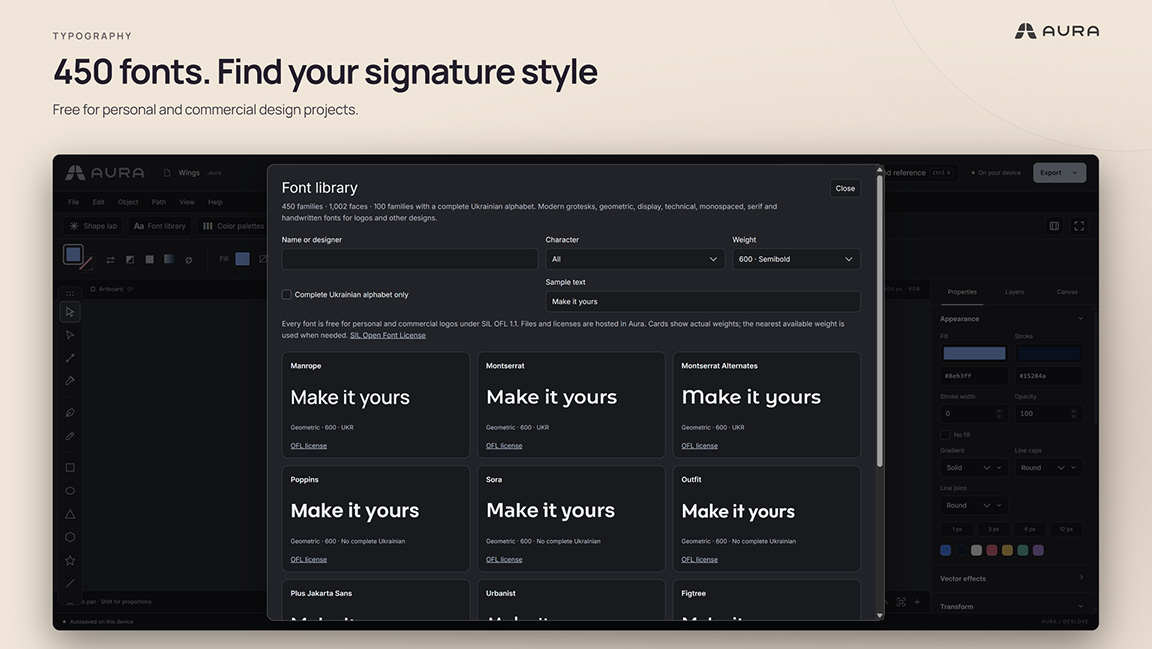
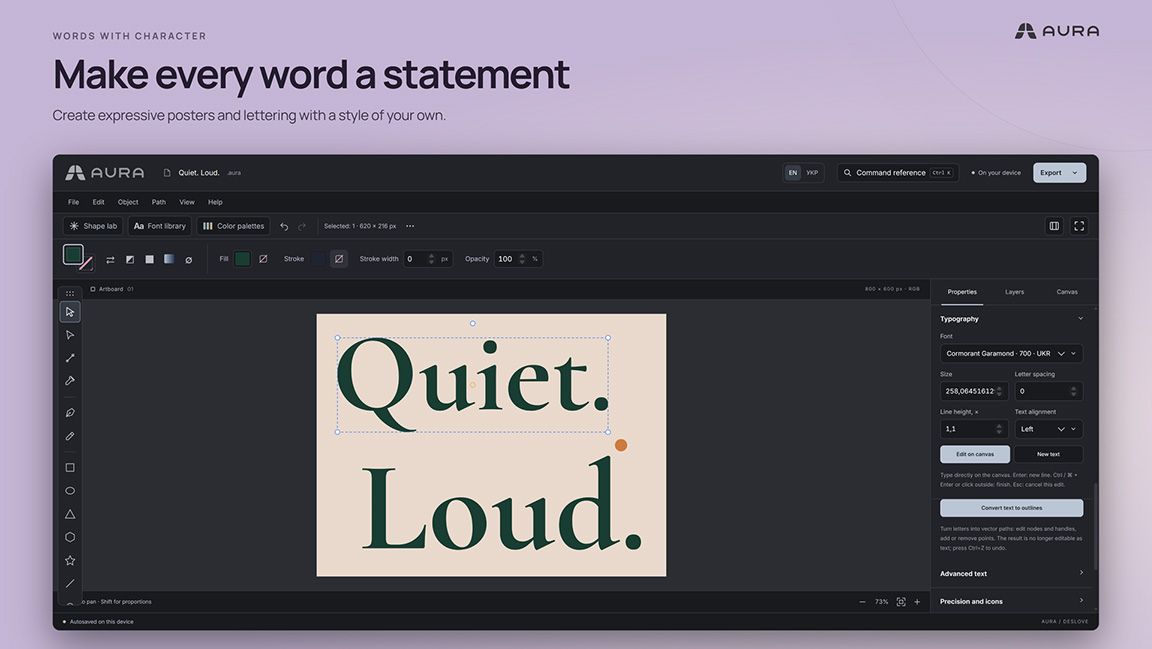
Aura addresses this with a built-in font library containing 450 font families, available for personal and commercial work under the listed open-font licenses.
The library includes recognizable typefaces such as Montserrat, Poppins, Sora, Outfit, and others, alongside a variety of styles suitable for logos, posters, and visual compositions.
What makes this useful isn’t simply the number of fonts.
It’s the convenience of having them available directly inside the editor.
You can browse typefaces, preview your own text, compare styles, and explore how different lettering choices might work with your design.
There are also typography tools for working with text on the canvas, including more advanced operations such as converting text to outlines.
For logo creation, that’s an important addition.
We didn’t perform a complete typography stress test in this first session, so we aren’t making claims about how every advanced text operation behaves.
But as part of Aura’s overall concept, integrating font discovery and vector editing into one workspace is a practical decision.
One small reminder for commercial projects: always check the individual font license and its conditions before using a typeface in a finished identity.
Color Palettes: A Useful Addition to the Creative Process
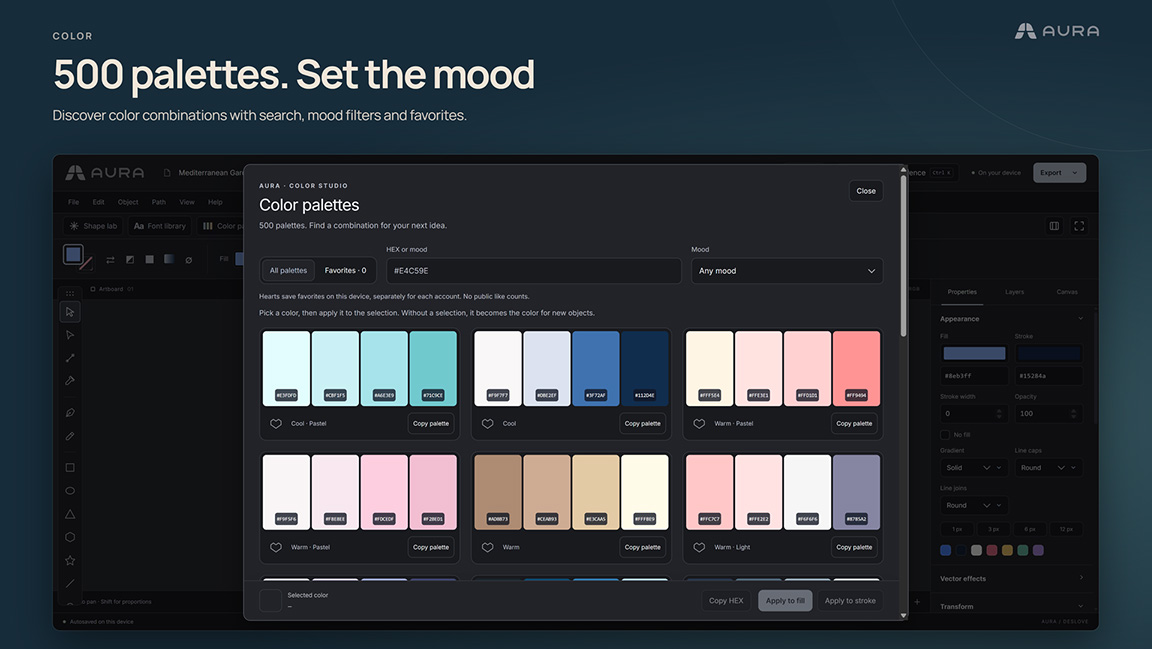
Another feature worth highlighting is the Color Palettes library.
Aura includes 500 predefined palettes designed to help users explore color combinations without constantly switching between different websites or applications.
The library supports searching by HEX values and moods, saving favorite palettes, and applying selected colors directly to fills and strokes.
This makes the process of experimenting with color combinations more convenient.
For example, you could create a basic geometric symbol in Shape Lab, transfer it to the canvas, add your brand name, and begin testing different color directions without leaving the editor.
That’s a sensible workflow.
And although professional designers will often work with carefully defined brand guidelines, color profiles, and established visual systems, there’s still plenty of value in tools that make the early experimentation phase faster.
We especially appreciate the fact that Shape Lab, the Font Library, and Color Palettes feel like connected parts of a single creative process, rather than completely separate features.
It’s one of the ideas that gives Aura its own character.
Vector Editing and Export: From Concept to Finished File
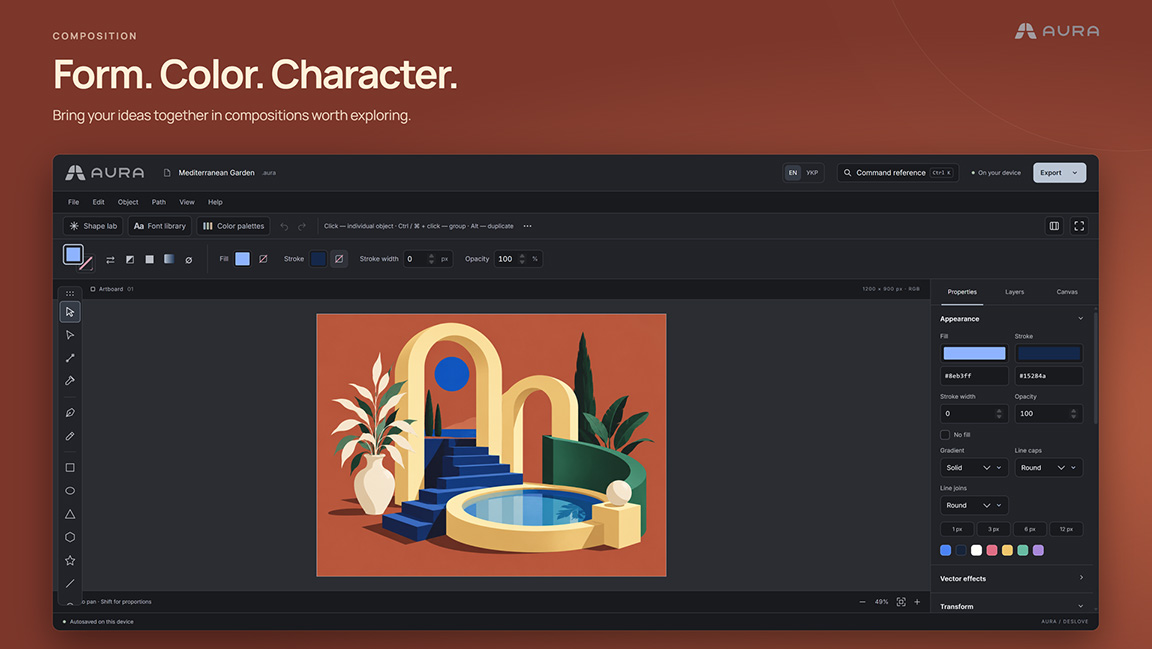
Beyond its specialized creative libraries, Aura includes the more traditional vector editing functionality you’d expect from this type of application.
Users can work with paths, individual nodes, shapes, layers, and text, and import existing SVG graphics for further editing.
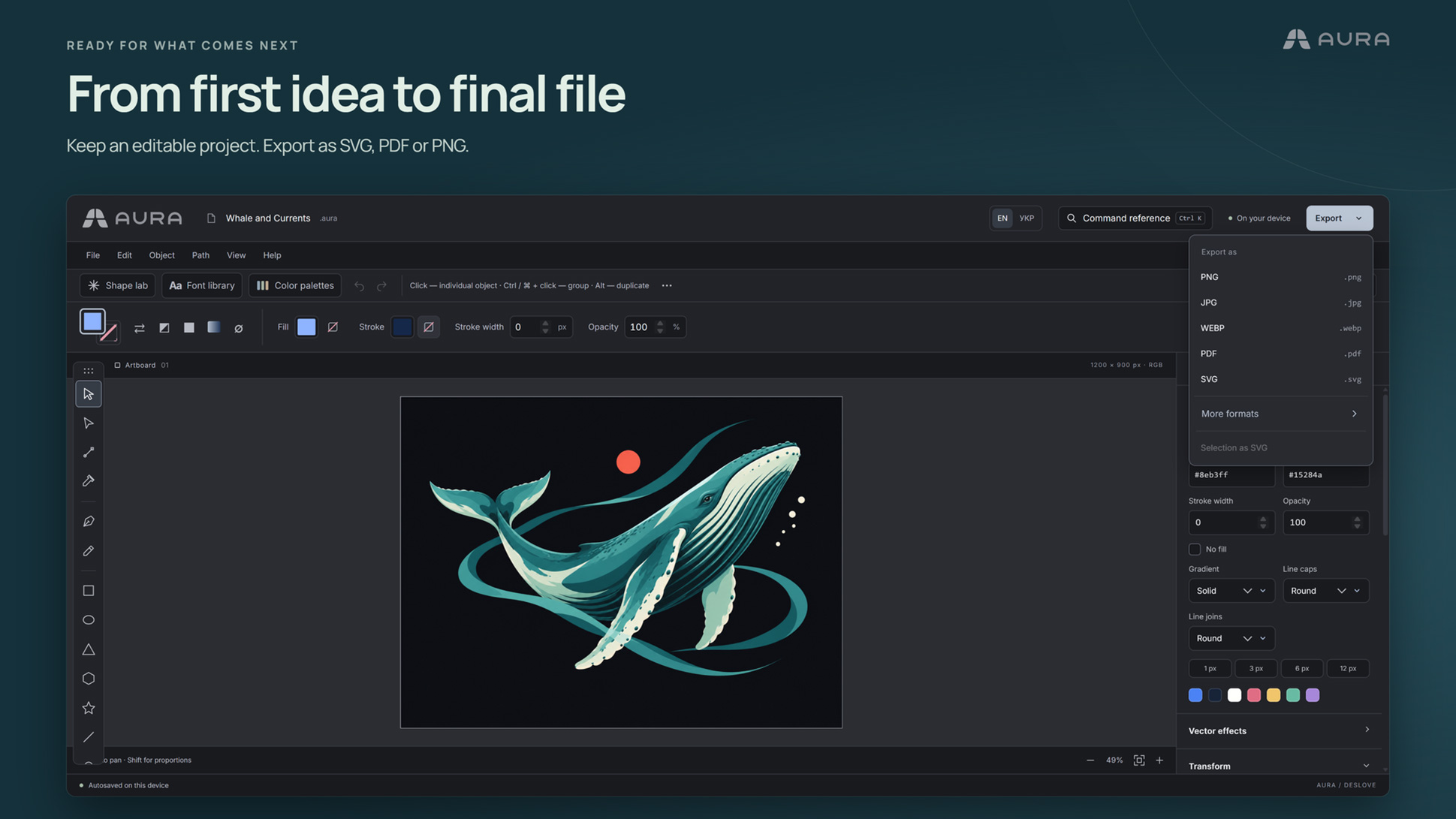
Projects can be saved in Aura’s native .aura format, while finished graphics can be exported in formats such as SVG, PNG, and PDF.
The developer also mentions support for certain variants of other design file formats, including AI, EPS, CDR, and FIG.
However, support for importing a format shouldn’t be confused with perfect compatibility.
Some documents may not preserve every original property, and text or other elements may be converted during the import process.
This is an area where users should be particularly careful, especially when opening complex files created in other design applications.
For our own testing, we focused mainly on the interface, Shape Lab, and a quick logo creation workflow.
We haven’t yet completed a comprehensive test of complex file imports, multiple artboards, masks, or advanced typography features.
Those would be interesting areas to investigate in a future review as Aura develops.
What Still Needs Improvement?
It’s important to approach a beta release with the right expectations.
Aura already offers an interesting selection of creative tools, but there’s naturally room for improvement.
During our brief experience, the most noticeable issue involved some minor export difficulties. They didn’t define our overall impression, but reliable exporting is something that will be important as the editor develops.
There are also practical limitations worth understanding before using Aura for important client projects.
First, file compatibility should be tested carefully. Importing a file from another design application doesn’t guarantee that every font, object, or document property will remain intact.
Second, project recovery currently relies on drafts stored on the device. Rather than assuming your work is being continuously synchronized to a cloud library, you should save important projects separately.
Third, some file conversion operations use Deslove’s servers. This is worth considering if you’re working with sensitive or confidential client material.
Finally, the full editing experience is primarily designed for desktop use. Although mobile applications are planned, no release dates have been announced.
None of these points should be particularly surprising for an early beta.
The key will be how the project evolves, how user feedback is handled, and how consistently the core tools improve.
Why We Believe Projects Like Aura Deserve Support
This is probably the most important point we want to make in this review.
The creative software industry is filled with powerful, established products.
Adobe, Affinity, Figma, and other major tools have become essential parts of professional design workflows, each offering different strengths and capabilities.
We use these applications ourselves, and we understand their value.
But we also believe that the industry benefits when new people and independent developers enter the market.
More competition, more experimentation, and more accessible tools are good for designers.
Not every creative project needs to become the next Illustrator.
Not every vector editor needs hundreds of advanced features to be useful.
Sometimes a tool can find its audience by doing a smaller number of things well, simplifying a particular workflow, or making design accessible to people who otherwise wouldn’t know where to begin.
Aura’s combination of editable vector graphics, Shape Lab, typography, and color exploration is a good example of that approach.
And there’s something refreshing about seeing an independent project take its first steps.
Building a creative application requires an enormous amount of work, from interface design and software development to usability testing, compatibility, and ongoing maintenance.
It’s easy to look at a beta application and focus on what isn’t there yet.
But it’s equally important to recognize what has already been accomplished.
In Aura’s case, there’s a functional browser-based editor, an interesting symbol creation system, substantial font and palette libraries, and a broader platform built around creative discovery.
That’s a meaningful starting point.
Who Should Give Aura a Try?
Based on our first experience, we think Aura is particularly interesting for people who enjoy exploring visual ideas and experimenting with geometric design.
Beginners may appreciate the accessible environment, especially when learning the basics of vector graphics and typography.
Logo and brand designers might find Shape Lab useful for experimenting with symbol directions before moving into more detailed design development.
Students and creative enthusiasts can explore the fundamentals of vector editing without immediately investing in expensive software.
And experienced designers?
We think there’s value in trying something new simply to discover a different approach to a familiar task.
We wouldn’t recommend replacing an established professional workflow with Aura at this stage, especially for complex commercial production.
But for experimentation, creative exploration, quick concepts, and seeing where a promising independent editor is heading, it is certainly worth a look.
Our Verdict: A Promising Beginning With Plenty of Room to Grow
After spending some time with Aura, our overall impression is positive.
We like the familiar interface, the accessible approach to vector editing, and the way the platform brings creative resources into one environment.
But above everything else, Shape Lab is the feature that stands out.
Its combination of geometric experimentation, adjustable parameters, and editable vector output makes it genuinely enjoyable to explore.
Our little five-minute Creativa Forge logo experiment was a good reminder that creative software doesn’t always need to feel complicated to be useful.
There were some minor issues, and there are certainly features and workflows that need more development before Aura could become part of a demanding professional production process.
But that’s what beta testing is for.
We appreciate the opportunity to experience Aura at this early stage, and we’d like to thank Serhii, the creator of Aura, for inviting Creativa Forge to explore the editor and share our impressions.
Independent projects like this deserve constructive feedback, patience, and an opportunity to grow.
Aura isn’t an Affinity Designer or Adobe Illustrator alternative just yet, and it doesn’t need to be. It’s a promising new creative tool with some genuinely interesting ideas and a solid direction worth following.
We’re interested to see where it goes from here.
And if you’re a designer who enjoys discovering new tools, experimenting with shapes, or simply supporting creative innovation, give it a try.
You might find yourself spending more time in Shape Lab than you originally planned. We certainly did.
Explore Aura: deslove.com/online-vector-editor
A Final Word From Creativa Forge
At Creativa Forge, we believe that good design comes from a combination of creativity, experience, and choosing the right tools for the job.
We enjoy exploring new technologies, supporting creative ideas, and sharing practical insights from our everyday work.
Whether you’re developing a new brand identity, refreshing your visual presence, or building a professional website, we’re here to help you turn your ideas into something meaningful.
Have a project in mind? Get in touch with Creativa Forge and let’s create something great together.
Aura in Action: Screenshots and Our Logo Experiment
Take a closer look at Aura’s interface, Shape Lab, typography tools, color palettes, and vector editing features. We’ve also included our own five-minute Creativa Forge logo experiment to show what we created during our first hands-on experience with the beta.